

A conversion can look harmless until it tells an ad platform why someone visited your site. For a medical practice, that line matters more in 2026 than ever.
You don’t need to abandon HIPAA-safe Microsoft Ads strategy altogether. You do need a setup that keeps patient details inside your own systems, limits what leaves the site, and treats every tracker as a data-sharing decision.
Why Microsoft Ads tracking is a real HIPAA issue now
Microsoft Ads can still help medical practices reach people who are looking for care. Search intent is valuable, and location-based campaigns can work well for primary care, dental, ortho, behavioral health, and multi-site groups. The problem is not the ad platform by itself. The problem is what your tracking sends back.
As of May 2026, there still isn’t a brand-new HHS rule written only for Microsoft Ads. Yet the existing HIPAA privacy and security rules still apply to what your website, forms, pixels, and vendors disclose. That means healthcare marketers have to map the data flow, not rely on default settings.
A key issue is the lack of a BAA for Microsoft Advertising. Reviews like Paubox’s analysis of Microsoft Ads and HIPAA point to the same concern: if protected health information reaches the ad platform, the contract structure many providers need isn’t there.
That doesn’t mean every Microsoft Ads campaign is off limits. It means your practice should keep PHI out of the ad stack. Broad service ads, local targeting, and non-sensitive conversion signals can still fit if the implementation is disciplined.
Microsoft Ads can sit in a healthcare media mix, but it should not become a place where patient-level data lands.
Microsoft’s newer consent features, including modeled measurement when users deny cookies, may help with privacy and reporting gaps. They do not change the HIPAA analysis. Consent tools help with cookie handling. They do not turn a non-BAA ad platform into a HIPAA-ready destination for patient data.
Where medical practices get exposed
Most HIPAA trouble in paid search doesn’t start with a dramatic error. It starts with small pieces of data that become sensitive once they’re tied to a health-related page, form, or action.
This quick table shows where that risk usually appears.
| Tracking choice | Why it can expose PHI | Safer move |
|---|---|---|
| UET on condition or treatment pages | A page visit can imply diagnosis, symptoms, or care interest | Keep ad tags off sensitive pages, or use a strict allowlist |
| Query strings with health terms | URLs can reveal the reason for visit | Strip sensitive parameters before any tag fires |
| Thank-you pages after appointment forms | The conversion page can confirm care intent | Trigger a neutral event from a first-party system instead |
| Call tracking with recording or transcripts | Calls often contain symptoms, names, or treatment details | Use a BAA-covered call vendor and share only approved outcomes |
| Session replay or chat on intake pages | Keystrokes, form fields, and chat content may expose PHI | Disable these tools on patient-facing forms unless covered and tightly configured |
| Retargeting based on medical page visits | Audience creation can rely on sensitive health behavior | Avoid remarketing tied to health-related browsing |
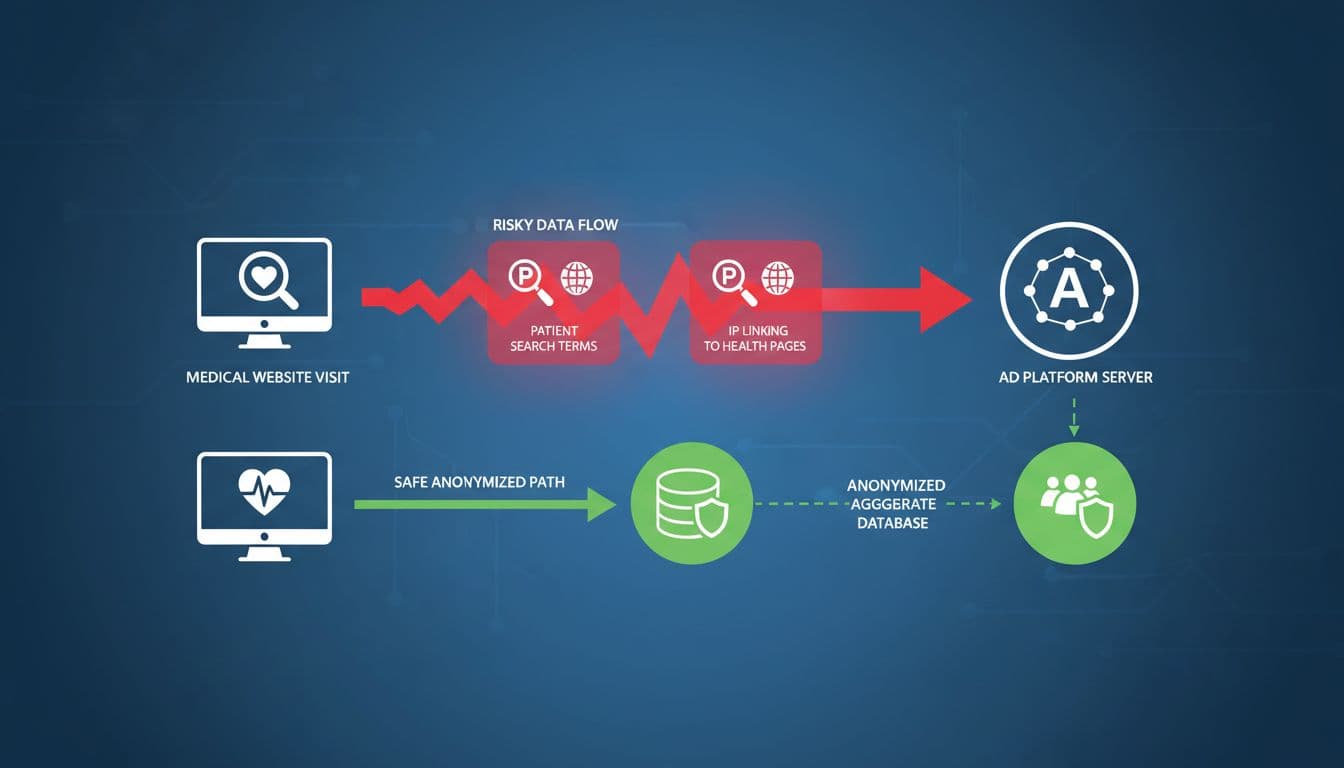
The biggest blind spot is context. An IP address or click ID may not look like PHI on its own. Yet when it sits next to a fertility page, addiction intake form, oncology service line, or mental health booking flow, the context can turn a basic web event into something much more sensitive.
URL handling is another common miss. A team may avoid sending names and emails, then pass “condition=anxiety” or “service=ivf” into a landing page URL. The ad tag doesn’t need the form field if the page address already says enough.
This is why healthcare marketers need a stricter rule than “don’t send patient names.” A better rule is, “don’t send signals that identify a person and connect them to care-seeking behavior unless the destination is built for HIPAA.”
A safer architecture for Microsoft Ads measurement
The safest pattern is simple: keep detailed patient data in your own environment, or in vendors that sign a BAA and fit your compliance review. Then send Microsoft Ads only the minimum signal your team has approved.
For practices, groups, and healthcare marketing teams, this usually means a first-party or server-mediated setup.
- Start with approved conversion definitions.
Use events like ad click, page engagement on a neutral service page, general contact request, or non-sensitive lead submission. Avoid conversion names that reveal conditions, procedures, or patient status. - Separate sensitive and non-sensitive pages.
Create an allowlist for pages where ad tags may load. A general “primary care,” “urgent care,” or “schedule a visit” page may fit your policy. A page focused on addiction treatment, infertility, HIV care, or other sensitive topics may not. - Put consent controls in front of ad tags.
If your legal team requires consent for advertising cookies, UET should wait until the user gives it. Microsoft Advanced Consent Mode can help fill in reporting gaps, but it is still a reporting feature, not a HIPAA shield. - Route conversion events through a first-party layer.
Instead of firing a tag directly from a thank-you page, send the event to your server or tag gateway first. There, strip URLs, query strings, form fields, internal IDs, and anything that hints at diagnosis or treatment. - Send only the minimum fields out.
In many cases, that means an event name, a timestamp, a generic value, and a click identifier. Leave out names, email addresses, phone numbers, medical record numbers, reasons for visit, appointment type, and free-text notes. - Test and audit every release.
Open your browser network panel. Submit forms. Call tracked numbers. Review redirects. Check what leaves the site. Then repeat after site updates, agency changes, or booking tool changes.

A good architecture also reduces the pressure to over-track. Many practices pair privacy-first paid media with professional SEO management, because stronger organic visibility lowers the need to squeeze every last signal from risky ad tech.
If you want to see the intermediary pattern described in a healthcare context, this Bing Ads use case from Penrod shows how some teams place a secure layer between patient data and the ad platform. The exact tool choice may differ, but the principle is sound: filter before you share.
This is also where vendor selection matters. If you’re interviewing an SEO agency Hartford practices already know, ask who owns tag governance. The same goes for teams comparing Hartford SEO services or weighing an SEO company Hartford CT clinics trust. Search growth is one skill. Privacy-safe measurement is another.
Offline conversions can work, but only with strict limits
Offline conversion reporting is attractive because real revenue often happens after the click. A patient may call today, schedule next week, and complete care later. Ad teams want that closed-loop view. Healthcare teams need tighter guardrails.
The most conservative model is to optimize Microsoft Ads on top-of-funnel actions only. Keep appointment outcomes, patient show rates, and downstream revenue inside your HIPAA-covered reporting stack. That model sacrifices some automation, but it sharply cuts disclosure risk.
A more advanced model can work if counsel approves it. In that setup, the site stores the Microsoft click ID in a first-party database, separate from clinical details. Later, a BAA-covered CRM or data layer maps that click ID to an approved outcome, then sends back only a generic conversion event. The ad platform gets “qualified lead” or “scheduled consult,” not the diagnosis, provider, or treatment path.
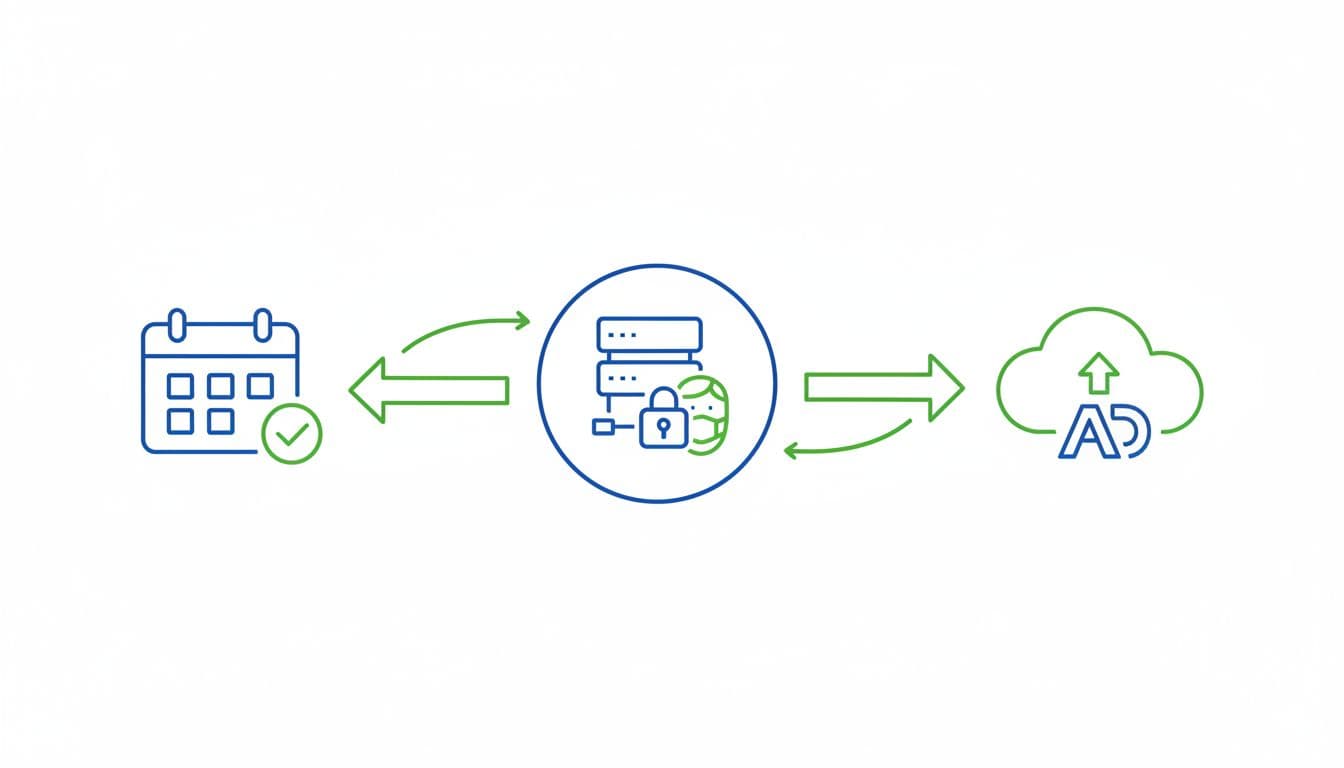
Even then, caution matters. Avoid uploading patient emails for matching. Avoid conversion labels like “IVF booked” or “depression intake completed.” Avoid tiny audience segments where one event can point to one person.
This broader move away from raw pixels is growing across healthcare. Improvado’s post-pixel healthcare playbook reflects the same shift: keep optimization data abstract, approved, and separated from patient records.
Consent, call tracking, forms, and chat tools
Consent is a gate, not a free pass
Consent banners matter for privacy law compliance and user choice. They also help you limit what loads before the user acts. Still, even a clear opt-in does not mean every disclosure is fine under HIPAA.
Consent to cookies does not replace a BAA, and it does not make PHI safe to share with an ad platform.
For Microsoft Ads, a practical policy is to block UET until consent where required, keep it off sensitive pages, and document the pages and events it may touch. That gives your team a rule set they can test and defend.
Call tracking can create hidden exposure
Calls are often the most valuable conversion for medical groups. They are also one of the easiest places to leak PHI.
Dynamic number insertion can be fine in narrow cases, but call recordings, AI summaries, transcripts, and voicemail forwarding raise the stakes. A caller may mention symptoms, prescriptions, insurance, or other private details in the first few seconds.
If you use call tracking, the vendor should go through the same review as any other healthcare-facing tool. Check for a BAA, access controls, retention settings, redaction options, and who can hear or export recordings. Then keep ad-platform reporting high level. Send “call over 60 seconds” or “call marked qualified,” not the transcript.
Forms, landing pages, URL parameters, and replay tools
Landing page design matters more than many teams realize. A clean medical landing page can drive leads without inviting data exposure. Keep the ad destination broad when possible. “Request an appointment” is safer than a page whose URL, headline, and hidden fields all reveal a sensitive condition.

Use POST for sensitive form submissions. Keep symptoms and free-text health details out of query strings. Don’t pass patient-entered values into hidden fields that analytics or ad tags can read. A thank-you page should also stay neutral, or better yet, the confirmation should happen inside a secure booking flow that does not fire ad pixels at all.
Session recording and chat tools deserve the same scrutiny. If a replay script captures form interaction, or a chat bot asks “What symptoms are you having?”, that tool may collect far more than your ad team expects. Unless the vendor is approved for healthcare use and configured to mask everything it should, turn those tools off on patient-facing pages.
General paid ads guidance for healthcare keeps landing in the same place: protect the data first, then measure what remains. HIPALYTICS’ overview of healthcare paid ads practices makes that point well.
Vendor due diligence and a practical do-and-don’t list
Every healthcare marketing stack needs a vendor inventory. For each tool, ask five basic questions: what data it collects, where that data goes, whether a BAA exists, who can access it, and how long it stays there. If the answers are fuzzy, the risk is too.
This is also the moment to pressure-test agencies. If someone on your team is searching “local seo agency near me,” add one more filter before the shortlist is done: ask for a written tracking map. A good partner should be able to show which tags load, on which pages, after which consent state, and which data fields are blocked.
One more cross-platform point matters here. Wizaly’s review of ad platform HIPAA limits notes that neither major ad system signs a BAA for ads. That keeps the burden on the practice to avoid sending PHI in the first place.
Use this as a working checklist:
| Do | Don’t |
|---|---|
| Load Microsoft Ads tags only on approved pages and events | Fire UET across every service line by default |
| Store click IDs in a first-party system separate from clinical data | Upload patient emails or detailed care outcomes for ad matching |
| Use neutral conversion names such as “lead submitted” | Name conversions after diagnoses, procedures, or sensitive specialties |
| Review call tracking, chat, and replay vendors for BAA status and settings | Assume a tool is safe because it is common in marketing |
| Strip sensitive URL parameters before any ad or analytics event fires | Put symptoms, conditions, or booking details in page URLs |
| Re-test tags after site changes and campaign launches | Trust one-time setup and never audit the network traffic |
Before launch, confirm your plan with qualified legal and compliance counsel. That step doesn’t slow growth. It prevents your growth system from creating a privacy problem you have to unwind later.
Conclusion
The safest Microsoft Ads setup for a medical practice is not the one with the most data. It’s the one that sends the least data possible, while still giving your team a useful picture of ad performance.
When patient details stay inside first-party or BAA-covered systems, Microsoft Ads can still support awareness and lead generation. When tags, forms, calls, and chat tools spill health context into the ad stack, the risk rises fast.
In 2026, the winning move is disciplined measurement. Build a clear data map, keep conversion signals generic, and have counsel review the final design before a single campaign goes live.
